Recommended Blogs

Workday Testing Strategy – Best Practices for Successful Workday Implementations

 Last Updated: June 2nd, 2026
 Read Time: 3 minutes
Table of Content
- Why Workday Testing Is a Board-Level Risk?
- Build the Strategy During Design, Not Before Go-Live
- What Does a Workday Testing Strategy Cover?
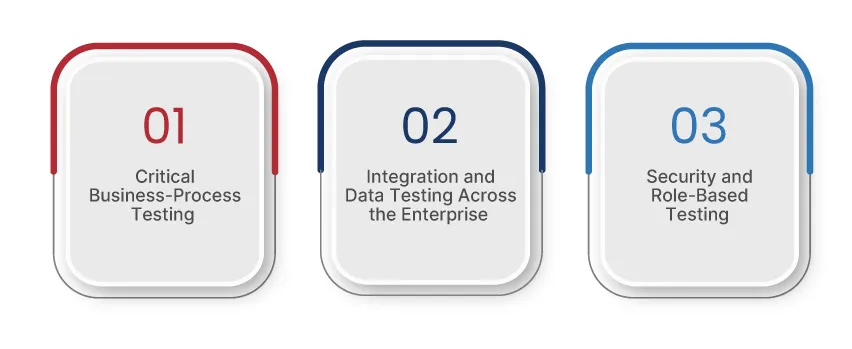
- Critical Business-Process Testing
- Integration and Data Quality Testing Across the Enterprise
- Security and Role-Based Testing
- Make UAT an Executive Readiness Gate
- Where Does Automation Deliver ROI in Workday Testing?
- Plan for Post-Go-Live Stability and Release Readiness
- How Can TestingXperts Assist with Workday Testing Strategy?
- Conclusion
Share On


Large enterprise systems programs have little margin for error. According to McKinsey, 25 to 40 percent of large technology programs exceed their budgets or timelines by more than 50 percent. At the same time, Gartner estimates that more than 70 percent of ERP initiatives implemented in recent years will not fully achieve their original business goals.
This risk becomes apparent in a Workday implementation when payroll accuracy, approval processes, security access, or reporting reliability are stressed. This is why a robust testing strategy from the outset is crucial, as it safeguards business continuity, implementation timelines, and trust in the operating model.
Why Workday Testing Is a Board-Level Risk?
When Workday testing doesn’t meet expectations, the damage becomes visible in terms of business impact long before the number of defects is discussed.
- Employees may not receive fair wages.
- Managers may lose access to the approvals they need to keep operations running smoothly.
- Finance teams may doubt whether downstream reports reflect the correct data.
- HR leadership may face credibility issues at the very time they are expecting the organization to trust a new operating model.
Workday sits at the heart of key workforce and financial processes. A lack of testing isn’t just an isolated IT oversight. This can delay go-live, necessitate temporary workarounds, increase audit risk, and cost senior leadership time during the most visible phase of the program. Robust Workday testing best practices simultaneously protect deadlines, trustworthiness, and decision quality.
Build the Strategy During Design, Not Before Go-Live
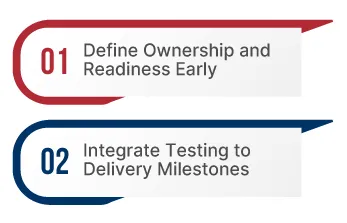
1) Define Ownership and Readiness Early
A robust Workday testing strategy starts right from the design stage, not just before go-live. Teams need clear responsibility for each process, clear decision-makers to decide pass/fail, and predetermined exit criteria for each step.
This is important because Workday programs combine multiple verticals, such as HR, finance, payroll, IT, and security. When responsibilities are unclear, deficiencies are overlooked, assumptions abound, and preparedness is assessed based solely on confidence rather than evidence.
2) Integrate Testing to Delivery Milestones
Testing should proceed in parallel with implementation, rather than waiting for the formal QA phase. Design, configuration, integration, and data migration; each step should include appropriate validation to identify risks early and provide opportunities for remediation.
This provides clarity and better visibility into the situation for the enterprises. It clarifies that the real problem lies in delayed design decisions, weak test data, or incomplete integration.
What Does a Workday Testing Strategy Cover?
Your Workday testing strategy should focus on points that could cause real disruption to the business. Enterprises don’t need a long list of testing jargon; they need to understand which flaws can impact payroll, reporting, compliance, approval processes, and day-to-day operations.
The most effective approach is to prioritize testing based on its impact on business, process dependencies, and potential risks. It clarifies the path to go-live readiness and ensures better use of business users’ time.
Critical Business-Process Testing
- Test entire business flows rather than individual transactions.
- Verify high-impact processes, including hiring, job changes, leave, compensation changes, payroll, approval processes, and financial close.
- Also include exception cases and various approval types, as these are where failures often occur.
- Focus first on processes that impact employees, managers, finance teams, and statutory obligations.
Integration and Data Quality Testing Across the Enterprise
- Verify how Workday exchanges data with payroll providers, identity systems, financial platforms, benefits vendors, and reporting tools.
- Ensure incoming and outgoing data support the successful transfer of files and the correct business outcome.
- Carefully reconcile migrated data, especially when legacy structures do not directly align with future processes.
- Treat integration and data quality as business risks, as errors here often increase manual work and delay decision-making.
Security and Role-Based Testing
- Ensure the right users have access to the right tasks, data, and approvals based on their role and geographic region.
- Don’t limit testing role-based security to static access reviews; test it in real business scenarios as well.
- Pay attention to delegated approvals, shared services, and matrix structures, as access complexity tends to increase in these areas.
- Address security flaws before go-live, as these can lead to compliance issues, blocked workflows, and a lack of trust in the system.
Make UAT an Executive Readiness Gate
User acceptance testing should answer a single question: Can the business run the future process with complete confidence? Even if a program’s defects appear limited, it may still not be considered ready if business users:
- Do not trust the results.
- Do not understand the process changes.
- Do not know how to handle exceptions.
A better testing model ensures that scenarios are prepared from the outset; expected outcomes are clarified upfront, and business involvement is reserved for critical decisions where real value is added. A well-structured UAT plan respects end users’ time and yields a clearer go-live decision.
Where Does Automation Deliver ROI in Workday Testing?
Automation can improve Workday testing, but only if it’s implemented in a disciplined and well-thought-out manner. It is most effective in areas where testing is required frequently; validation steps are relatively static, and rapid feedback is needed over many cycles. The priority for enterprises should not be maximum automation, but rather better coverage, less manual effort, and more robust release preparation.
- Regression testing benefits the most from this, as the same workflows need to be verified repeatedly across different releases.
- Integration testing becomes even more important when teams need to consistently and reliably verify recurring data flows.
- Stable, repeatable workflows are better candidates for automation than newly designed or constantly changing processes.
- Automation reduces manual effort and shortens verification cycles during upgrade and release testing.
- Human understanding and judgment are still essential in UAT, where process exception conditions and business context influence outcomes.
- Adopting excessive automation early on can create additional maintenance burdens that outweigh the expected benefits of testing.
- The right strategy is to adopt a balanced combination of automation and targeted manual testing, keeping business risks in mind.
Plan for Post-Go-Live Stability and Release Readiness
Testing doesn’t end with Workday’s go-live. Many problems only emerge when real users, live data, and interconnected systems begin operating at scale. Teams also need to constantly be prepared for Workday’s regular release cycle and future module extensions. A robust strategy views post-go-live testing not as a one-time cleanup activity, but as an ongoing part of platform governance.
- Monitor closely for issues related to payroll, approvals, reporting, and access during initial production use.
- Track recurring user issues to identify process gaps, training needs, or hidden flaws.
- Re-validate critical workflows in live conditions and real business scenarios after go-live.
- Plan regression testing around Workday releases to minimize disruption from platform changes.
- Re-evaluate integrations regularly, as downstream systems may react differently after updates.
- Carefully test cross-functional impacts during the phased rollout of additional Workday modules.
- Think of release validation as a regular and disciplined process of operations, not an occasional project activity.
How Can TestingXperts Assist with Workday Testing Strategy?
Enterprises today don’t need a traditional QA strategy for the success of their Workday implementation project. They need a test model that clearly shows where their Workday program might fail at the operational level and which areas they need the clearest signals from before go-live.
TestingXperts can help shape that Workday testing model, particularly in the areas that matter most to enterprises:
- UAT readiness
- Regression discipline
- Integration validation
- Release-focused assurance
Here’s how we support your Workday Implementation:
- Automated regression testing for stable, secure configurations.
- End-to-end testing validates data, security, and workflows.
- AI-powered automation accelerates deployment and validation cycles.
- Rule-based testing ensures accurate setups and traceability.
- Domain-led testing strategies improve coverage and reliability.
- Shift-Left testing to identify and address issues sooner.
- Ongoing validation throughout the development and deployment process.
- Self-healing automation to identify and resolve issues autonomously.
Are you looking for a reliable Workday testing partner? Contact our experts now.
Conclusion
A successful Workday implementation depends on the quality of the configuration, as well as the testing strategy and governance. It also depends on whether the business can rely on the system for payroll, approvals, reporting, access, and day-to-day operations from day one. Enterprises that start testing early, define readiness in business terms, and treat post-go-live validation as part of platform ownership put themselves in a far stronger position to protect timelines, reduce avoidable disruption, and make better decisions when tradeoffs appear. To know how TestingXperts can assist with Workday implementation and testing strategy, contact our experts now.

Associate Director
Yuvraj Singh is an accomplished Associate Director of Delivery, renowned for leading strategic quality assurance initiatives that consistently deliver outstanding software outcomes across global markets. With deep expertise in both Property & Casualty (P&C) and Life & Annuities (L&A) insurance domains, Yuvraj excels at bridging the gap between complex business objectives and flawless execution.
FAQs
What are the key benefits of having ongoing validation during the Workday implementation process?
Key benefits of having continuous validation during the Workday implementation include:
- Ensuring the system meets business requirements at each stage.
- Identifying issues early, reducing costly fixes later.
- Verifying system integration with existing infrastructure.
- Validating data migration and security protocols.
How does TestingXperts ensure compliance and security during Workday testing?
TestingXperts ensures that your Workday implementation is both secure and compliant by following the checklist below:
- Conduct thorough security assessments to identify vulnerabilities.
- Verify compliance with regulatory standards (e.g., GDPR, HIPAA).
Ensure compliance with data privacy protocols. - Validate system configurations against industry-specific guidelines.
What is the role of automated testing in speeding up Workday's regression and release cycles?
Automated testing helps speed up regression and release cycles by automating repetitive tests, reducing manual effort. It speeds up the regression cycle by executing tests faster and improves the release cycle by detecting issues early.
How can test automation help accelerate validation processes during Workday's release cycles?
Test automation accelerates the validation process by automating test execution, enabling faster validation of changes. It enables parallel testing across multiple configurations and reduces human error, thereby improving testing accuracy. As a result, it ensures faster deployment with immediate feedback on defects.
What should enterprises prioritize during Workday UAT to ensure smooth operations at go-live?
TestingXperts ensures your Workday UAT aligns with go-live readiness by:
- Focusing on validating core business processes and workflows.
- Ensuring comprehensive testing of integrations with third-party systems.
- Testing data migration and validating data accuracy.
Involving key stakeholders to ensure user acceptance.
How can automation improve the efficiency of regression and integration testing in Workday projects?
At TestingXperts, we enhance Workday testing efficiency through automation. We execute complex test scenarios much faster by leveraging our in-house accelerator, which also reduces manual intervention and saves time. Our experts ensure comprehensive test coverage, especially for integrations, and provide rapid feedback on issues across multiple systems.
Why is it critical to test Workday's security roles and permissions early in the implementation process?
TestingXperts prioritizes security testing for Workday implementations to mitigate risks early. Our approach involves:
- Identifying potential security risks before go-live.
- Verifying access control and ensuring the right permissions are set.
- Helping prevent data breaches and unauthorized access.
- Ensuring compliance with internal security policies.
Discover more