Recommended Blogs

Performance Testing in Low-Code and No-Code Environments: Tips and Techniques

 Last Updated: March 11th, 2026
 Read Time: 8 minutes
Table of Content
- What is a No-code or Low-code Environment?
- The Importance of Performance Testing
- Why Performance Matters in Every Environment?
- Understanding the Low-Code and No-Code Architecture
- Differences in Traditional vs. Low-Code/No-Code Platforms
- Performance Goals for Low-Code/No-Code Platforms
- Performance Testing Tips & Techniques
- Challenges of Performance Testing in Low-Code and No-Code Platforms
- What Are the Best Performance Testing Strategies for Low-Code and No-Code Applications?
- Business Impact of Performance Testing in Low-Code and No-Code Environments
- Conclusion
- Why Choose TestingXperts for Performance Testing?
Share On


The technological world is ever evolving, and Low-Code and No-Code platforms have made a significant impact in the area of software development. These platforms have supported software development, enabling individuals to build functional and efficient applications regardless of their coding expertise. By providing visual development tools and pre-built components, Low-code/No-code platforms empower users to focus on solving problems and creating value rather than struggling with code.
While these platforms have made software development easy and accessible to non-developers, they introduce new challenges. One of the most pressing concerns is performance. Can applications developed on Low-code/No-code platforms match the performance of traditionally coded ones? It has become a pivotal question for many organizations considering a Low-code/No-code approach. And the answer to this question is “Low-code/No-code performance testing.”
What is a No-code or Low-code Environment?
Low-Code and No-Code platforms allow software creation and deployment without extensive manual coding. While Low-Code environments require some traditional coding, No-Code platforms enable complete app development without writing a single line of code. By reducing the need for manual coding, these platforms significantly speed up the development process, allowing businesses to deploy solutions faster and adapt to changing user needs more efficiently.
The Importance of Performance Testing
Businesses continuously seek ways to develop software faster, cheaper, and more efficiently, and low-code/no-code offers the perfect solution. However, with convenience comes challenges, especially in terms of performance.
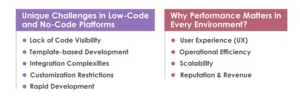
Unique Challenges in Low-Code and No-Code Platforms
Low-code and no-code platforms bring about unique challenges that make performance testing even more vital:
Lack of Code Visibility
The basis of low-code/no-code platforms is that they abstract the underlying code, making it more user-friendly. However, this abstraction also means developers may not be aware of inefficiencies in the automatically generated code.
Template-based Development
Many platforms leverage templates to speed up the development process. While templates are efficient, they carry unnecessary code structures that can affect performance.
Integration Complexities
Low-code and no-code platforms often integrate with other systems or platforms. These integrations can introduce latency, especially if not optimized.
Customization Restrictions
Unlike traditional development environments, where developers can optimize every aspect of the code, low-code and no-code platforms might limit customization, leading to potential performance constraints.
Rapid Development
The development speed in these platforms sometimes means that performance considerations are an afterthought. When you can quickly drag and drop components, there’s a risk of neglecting how these components might interact at a larger scale.
Why Performance Matters in Every Environment?
User Experience (UX)
Regardless of the platform or tool used to create an application, the end user’s experience remains paramount. Slow apps can lead to decreased user satisfaction and engagement. A study once showed that 53% of mobile users abandon websites that take more than 3 seconds to load. Imagine the abandonment rates for a sluggish application!
Operational Efficiency
Small or low-performing applications can hinder operational efficiency within organizations. Employees may waste valuable time waiting for apps to load or perform tasks, decreasing productivity.
Scalability
An app might work seamlessly when tested with a small user group, but what happens when it’s rolled out to the masses? With performance testing, businesses can avoid encountering scalability issues that can disrupt service.
Reputation & Revenue
A poorly performing app can tarnish a company’s reputation. Customers who can’t rely on your app to function efficiently are less likely to engage with your business or make purchases.
Understanding the Low-Code and No-Code Architecture
At the core of Low-code and No-code architecture lies the concept of abstraction. Abstraction involves simplifying complex technical processes to make them more user-friendly. In Low-Code platforms, developers work with a visual interface to create applications using drag-and-drop components, reducing the need for extensive coding. At the same time, No-code allows non-developers to build applications without coding knowledge.
While these abstractions offer speed and accessibility, they also introduce a layer of complexity that can impact performance. The more layers of abstraction involved, the harder it can be to optimize an application for peak performance. Performance testing becomes essential to ensure that these abstractions don’t lead to sluggish or inefficient applications. Addressing this challenge requires a keen understanding of the underlying architecture and its implications for performance.
Differences in Traditional vs. Low-Code/No-Code Platforms
| Traditional Platform | Low-code/No-code Platforms | |
| Coding Complexity | Traditional development involves writing code from scratch, giving developers complete control over every aspect of the application. | Low-code platforms reduce coding complexities, enabling developers to work faster. No-Code platforms eliminate the need for coding. |
| Customization vs. Speed | Traditional development allows highly customized solutions but usually requires longer development cycles. | Low-Code/No-Code platforms enable faster delivery using pre-built components, with limited customization. |
| Flexibility vs. Constraints | Traditional development offers integration flexibility with any technology or service. | Low-Code/No-Code platforms may limit integrations to what the platform supports. |
| Developer vs. Non-Developer Accessibility | Traditional development primarily involves skilled programmers. | Low-Code and No-Code platforms enable non-developers to build applications easily. |
Performance Goals for Low-Code/No-Code Platforms
Regarding Low-Code/No-Code platforms, achieving peak performance demands a clear roadmap. Setting specific, measurable performance objectives is the foundation of successful application development. These objectives guide the development process and provide benchmarks to evaluate the application’s efficiency. Performance goals include:
• Achieving a specific response time
• Supporting a defined user load
• Maintaining consistent throughput under varying conditions
Factors to Consider
Response Time
It refers to the application’s response time to a user’s action. It’s a critical factor that directly influences user experience. Slow response times can lead to user frustration and decreased engagement. Performance goals should outline the maximum acceptable response time for different types of interactions within the application.
Throughput
It measures the number of transactions an application can handle within a given time frame. It’s a measure of the application’s efficiency and scalability. Performance goals should define the desired throughput under various usage scenarios to ensure that the application can handle user requests without a dip in performance.
Scalability
It is an application’s ability to handle increased workloads and user loads without compromising performance. Performance goals should address how well the Low-Code/No-Code application can scale up or down based on demand. This is crucial for accommodating growth without disrupting the user experience.
User Load
Understanding the maximum number of users the application can support concurrently is vital. Performance goals should specify the anticipated user load and ensure the application performs optimally during peak usage.
Performance Testing Tips & Techniques
Performance testing is critical to ensuring that applications, whether built using Low-Code or No-Code platforms, meet user expectations for responsiveness and efficiency. As these platforms gain popularity for their rapid development capabilities, it’s crucial to understand how to test and optimize their performance effectively. Let’s look into some tips and techniques for performance testing of Low-code/No-code applications:
Automating Performance Tests
Utilizing tools tailored explicitly for Low-Code/No-Code testing can streamline the process and enhance efficiency. The benefits of automation include repeatability, accuracy, and the ability to simulate a wide range of user interactions. Tools like JMeter and BlazeMeter offer user-friendly features that cater to visual-based development.
Effective Monitoring and Reporting
Monitoring key metrics during performance testing provides insights into the application’s behavior under various loads. Response times, throughput, error rates, and resource utilization are critical metrics to track. Real-time dashboards facilitate immediate feedback, enabling rapid adjustments to optimize application performance.
Optimizing Test Data Management
Data-driven testing demands thorough test data management. Using realistic datasets that mimic production data scenarios is essential. Data masking and pseudonymization techniques also safeguard sensitive information during testing while maintaining data realism.
Ensuring Realistic Test Environments
Mirroring production configurations in test environments is pivotal to accurate performance testing. Replicating hardware, software, and network settings ensures that test results closely resemble real-world scenarios. Beware of common pitfalls like underestimating the test environment’s scale or neglecting to account for third-party integrations.
Early Integration of Performance Testing
Don’t wait until the end of the development cycle to start performance testing. Incorporate it from the early stages of development. This approach allows you to identify and address performance issues as they arise, preventing bottlenecks from becoming ingrained in the application.
Scalability Testing
Test the application’s scalability by gradually increasing the load and observing how it handles higher user demands. This practice ensures the application can grow with user requirements without sacrificing performance.
Load Testing with Simulated User Loads
Utilize load testing to assess how well your application performs under various levels of user loads. Simulating expected and unexpected traffic spikes will give you insights into the application’s scalability and help identify performance limitations.
Challenges of Performance Testing in Low-Code and No-Code Platforms
There are limits to performance testing in low-code and no-code situations that don’t exist in traditional testing. The abstraction that speeds up development also masks performance problems. some of the main problems are:
Limited Access To Underlying Code
When performance problems happen, it’s tougher for testers to find the main reason because they can’t directly look at or improve auto-generated code.
Scalability Limitations
When there are a lot of users, applications often don’t work as well because they share platform resources and have backend limits.
Platform-imposed Constraints
Vendor-specific constraints for connectors, APIs, and tuning infrastructure can make it hard to get the best performance possible.
This means that performance issues show up late unless testing is planned of time and done with knowledge of the platform.
What Are the Best Performance Testing Strategies for Low-Code and No-Code Applications?
When testing performance on various systems, you need to find a balance between speed and realism. You can’t just use generic testing. some good strategies are:
Load Testing Early And Repeatedly
Check response times and throughput as you add more components, not just before the release.
Stress Testing Beyond Expected Limits
Push apps beyond usual user loads to find hidden problems in data processing, integrations, and workflows.
Automated Performance Testing
Automation makes ensuring that testing is done the same way for all releases and helps find regressions that happen when the platform is updated, or the configuration is changed.
Integration-aware Testing
To make tests more like real life, always incorporate third-party services, APIs, and databases.
Teams who undertake maturity testing here tend to stay away from surprises and slowdowns in production later.
Business Impact of Performance Testing in Low-Code and No-Code Environments
Performance testing affects business outcomes, not just technical stability.
Improved Platform Reliability
Even when demand is at its highest or there are unanticipated traffic spikes, applications still work.
Higher User Satisfaction
Better adoption and engagement come from faster load times and consistent performance.
Reduced Downtime and Support Costs
Finding performance hazards early prevents production from stopping and allows quick changes.
For businesses that build mission-critical apps on low-code or no-code platforms, performance testing is more than just a technical need; it’s a way to protect the business.
Conclusion
As software development continues to evolve, Low-Code and No-Code platforms are becoming necessary for businesses aiming for agility and swift digital transformation. While promising rapid development cycles, these platforms bring unique challenges, especially regarding performance.
However, they can effectively navigate these challenges with a strategic approach to performance testing and a deep understanding of the architecture and potential bottlenecks. The key lies in proactive monitoring, regular audits, and leveraging built-in and external tools to simulate real-world scenarios. With the right performance test strategies and practices, businesses can harness Low-Code/No-Code platform’s capability without compromising user experience or application efficiency
Why Choose TestingXperts for Performance Testing?
With years of experience in QA, TestingXperts understands the complexities of Low-Code and No-Code platforms. These platforms speed up app development, but with speed comes the challenge of ensuring top-end performance. The following are some of the reasons to partner with TestingXperts for Low-code and No-code application performance testing:
• Our team understand the root cause, providing sustainable solutions and optimized performance
• Tailored performance testing strategies to specific platforms and business needs
• Simulate real-world user scenarios to see how your app performs in genuine situations
• We constantly monitor app performance, catching and addressing issues in real-time
• Regular updates and clear communication to keep you always in the loop
• Always up-to-date with the latest trends and platform updates
• Our team collaborates with your developers, ensuring seamless communication and shared objective
Contact our experts now to find out more about effective performance testing solutions.

Associate Director at TestingXperts Pvt. Ltd
TVR Naveen Kumar, Associate Director at TestingXperts, with 19.5+ years of experience in Web, Mobile, and API Automation. Expertise in tools like Selenium, Appium, C#, Cucumber, and UiPath. Leads a team of 40+ in RFPs, estimations, automation strategy, and implementation. Skilled in automation assessments, gap analysis, tool comparison, and integration. Proficient in Jira, Maven, Oracle, JMeter, Sauce Labs, and more.
FAQs
How can we ensure performance reliability in low-code and no-code apps?
Early testing, realistic load modeling, and constant monitoring are what make performance reliable. Testing should involve real integrations, predicted peak user counts, and automated tests after every major change or platform upgrade.
Which tools are best suited for performance testing in these environments?
The finest tools depend on how big and complex your application is:
- JMeter for workloads that are heavy on the backend and APIs
- BlazeMeter for testing load and stress on a large scale in the cloud
- APM technologies that let you see performance in real time
- Tools built within the platform for finding internal bottlenecks
- Instead of just one tool, most teams employ a combination of tools.
How do we measure success and ROI from performance testing?
Faster release cycles, fewer production issues, and shorter response times are all signs of success. ROI can be seen in reduced downtime costs, improved user retention, and less firefighting after adoption.
How can automated performance testing reduce operational risks?
Automation ensures that performance tests run the same way every time a new version is released, helping detect regressions early. This reduces last-minute failures, unanticipated outages, and the need for manual testing during critical deployments.
What strategies help scale low-code and no-code applications efficiently?
To scale effectively, you need to run proactive load testing, stress-test integrations, monitor KPIs like response time and error rates, and keep tuning workflows as demand grows.
Discover more