Recommended Blogs

SAST vs DAST : 7 Key Differences

 Last Updated: April 2nd, 2026
 Read Time: 7 minutes
Table of Content
- Business Benefits of SAST
- An Overview of DAST
- Business Benefits Of DAST
- SAST vs DAST : 7 Key Differences
- How Do Organizations Combine SAST and DAST for Comprehensive Security?
- Automating SAST and DAST: Tools and Best Practices for Security Scans
- Metrics for Security Testing Success
- Conclusion
- How Can Tx Help You With Your Security Testing Needs?
Share On


Static application security testing (SAST) analyzes the source code of the application to detect security vulnerabilities. The security vulnerabilities may be in the form of SQL injection, buffer overflows, XML, XXE attacks, hardcoded-credentials, vulnerable libraries and other security risks.
SAST is a white box testing approach in which the application is scanned from the inside out. Testers perform SAST to identify security vulnerabilities in the code before it is compiled or executed.
The SAST methodology enables testers to evaluate the applications early and without the need to execute any functional components. This way, security-related vulnerabilities are found and fixed early, preventing such security issues from going unattended until the later development phases. SAST saves time and effort for teams and enhances app security.
Business Benefits of SAST
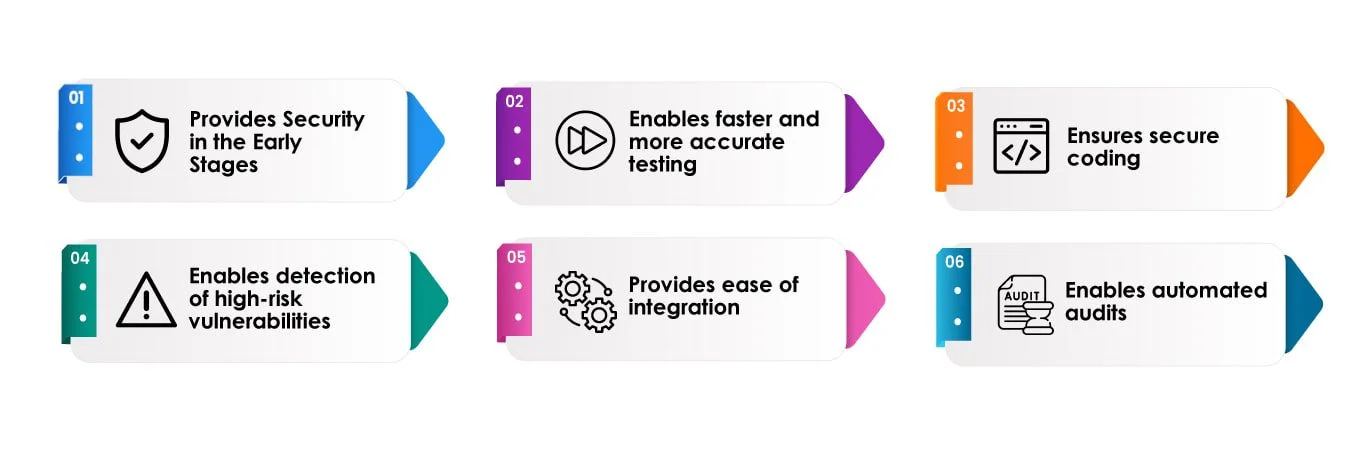
Provides Security in the Early Stages:
SAST ensures an application’s security early in its development lifecycle. It enables finding vulnerabilities in the source code during the coding or designing stage, making it easier to fix the bugs early. However, when tests are not performed until the end of development, the build has inherent bugs and errors which take time to fix and delays the timeline.
Enables faster and more accurate testing:
SAST tools scan the application and its source code faster than a manual review. The tools validate and precisely scan millions of code lines in a time-effective manner and precisely detect all underlying issues. In addition, if configured and used correctly in the Dev pipeline, SAST tools continuously monitor the code for security leaks and preserve the code integrity and functionality while suggesting mitigations for the identified problems rapidly.
Ensures secure coding:
Secure coding is mandatory for all kinds of applications, be it for websites, mobile apps, or embedded systems. Creating robust, safe coding from the beginning reduces the risks of getting the application compromised later. The reason is that attackers are able to target poorly coded applications easily and perform cyber-attacks like stealing sensitive data, passwords, account takeovers, etc. It has adverse effects on the organizational reputation and customer trust. Using SAST ensures safe coding practices and regulatory compliance.
Enables detection of high-risk vulnerabilities:
SAST tools make it possible for testers to detect high-risk application vulnerabilities, such as SQL Injections and buffer overflows, etc., throughout the lifecycle. In addition, SAST tools identify cross-site scripting (XSS) and vulnerabilities.
Provides ease of integration:
SAST tools come with simple integration and can be easily embedded into an existing QA process. SAST tools perform security testing within the Dev environments, repositories, and issue trackers. SAST tools feature a user-friendly interface that ensures a reasonable learning curve and consistent testing.
Enables automated audits:
It is a time consuming and tedious task to perform manual security code audits, and the auditor should know of the possible vulnerabilities before they can examine the code thoroughly. However, SAST tools are capable of reviewing code frequently with accuracy and in less time. The tools accelerate code audits and ensure code security more efficiently.
An Overview of DAST
Dynamic application security testing (DAST) evaluates the application by simulating the actions of hackers who may try to sneak into the application. DAST tests the applications in real time and against vulnerability scenarios to detect and report security-related bugs.
DAST can be closed box, also called Black-box, or a grey-box where application functionality is known to the tester. It can also be a white-box where underlying technologies and architecture are also known to the tester. This helps in testing against any insider threats as well. DAST helps testers identify bugs that may not be found during SAST and appear only once the application is tested in runtime.
Business Benefits Of DAST
Provides a broader coverage against security vulnerabilities
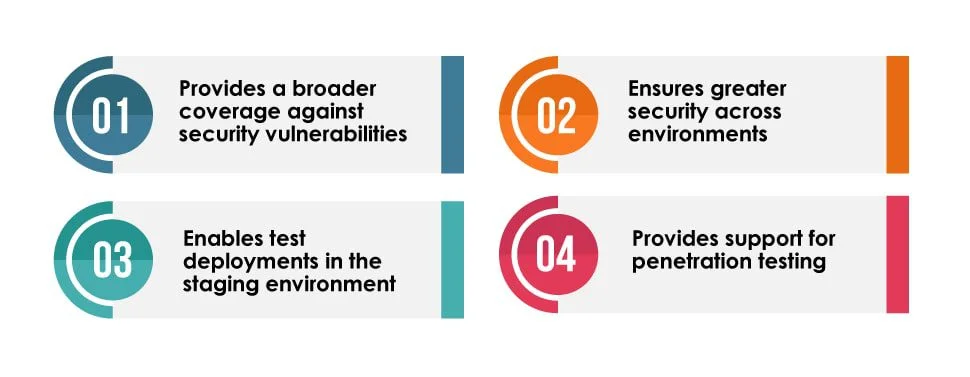
Modern applications are complex and are integrated with a wide range of external libraries, legacy systems, extensions, template code, etc. As security risks evolve, such a solution offers businesses broader testing coverage. DAST scans and tests all applications and websites, regardless of their technologies. Therefore, DAST addresses various security concerns while checking how the application appears to attackers and end-users. It helps the testers run a comprehensive QA plan that may find and fix issues and ensure a secure application.
Ensures greater security across environments
Since DAST is not implemented on the underlying code but from the outside, achieving the highest level of security and integrity of the application is possible. Even if updates are made to the application environment, it remains secure and entirely usable.
Enables test deployments in the staging environment
DAST tools and techniques test applications in a staging environment for vulnerabilities. This way, Dev and QA teams are assured of the application security post-production. Teams test the application on a regular basis through DAST tools and use manual techniques to identify any underlying security issues that configuration updates may bring about.
Provides support for penetration testing
The process of DAST resembles that of penetration testing, where the application is verified for vulnerabilities by intentionally injecting malicious input or performing a cyberattack to review how the application responds. Using DAST tools in the penetration testing efforts simplifies the operations through its capabilities. DAST tools help streamline the penetration testing process through automated bug detection and reporting.
SAST vs DAST : 7 Key Differences
| S.no | SAST | DAST |
| 1 | It is a white-box security testing process | This can be black-box, grey-box or white-box |
| 2 | The process of testing flows from the inside out | The process of testing flows from the outside in |
| 3 | QA is aware of the application’s design, implementation, and framework, just like the developer | In the case of black box DAST, QA is not aware of the application’s design, implementation and frameworks, just like a hacker |
| 4 | SAST is implemented on static code and does not require any deployed applications. It is called “static”, as the process scans the static code of the application to evaluate the vulnerabilities | DAST is performed on a running application. It is called “dynamic” as the process tests the application for security vulnerabilities dynamically when it is running. |
| 5 | SAST takes place in the early stages of SDLC. | DAST takes place on a running application and towards the end of SDLC. |
| 6 | SAST helps find the client-side and server-side security issues. The tools are compatible with multiple embedded systems and code but do not find bugs related to environments. | DAST tools detect security issues related to environments in addition to client-side and server-side vulnerabilities, which are not able to be detected just by SAST. This is usually done by analysing application behaviour and responses and requests in an application. |
| 7 | SAST is directly integrated into CI/CD pipelines for regularly monitoring the application code. SAST verifies all stages of the CI process, which includes security analysis of the source code through test automation | DAST is directly integrated into a CI/CD pipeline once the application has been deployed and is running on the test server. |
How Do Organizations Combine SAST and DAST for Comprehensive Security?
The best way to test application security is to use both methods together to cover a wider range of vulnerabilities.
A combined method works because SAST finds bugs in the code before it is put into use, and DAST checks how the app performs while it is exposed to real-world risks.
Best practices for integrating both
- Run SAST scans during coding and pull request stages
- Trigger DAST scans in staging environments
- Prioritize vulnerabilities based on severity and exploitability
- Use centralized dashboards to track remediation progress
- Continuously monitor applications through CI/CD pipelines
By using both testing approaches, companies make their development and deployment environments more secure.
Automating SAST and DAST: Tools and Best Practices for Security Scans
Automation is necessary for scaling up DevSecOps security testing. Automated SAST and DAST scans enable teams to find security holes all the time without slowing down development.
Common tools used for automation
- SAST tools
- SonarQube
- Checkmarx
- Veracode
- DAST tools
- OWASP ZAP
- Burp Suite
- Acunetix
Best practices for automation
- Integrate SAST tools into code repositories and CI pipelines
- Schedule DAST scans during staging deployments
- Configure vulnerability thresholds for build approvals
- Reduce false positives through rule tuning
- Track vulnerabilities through issue management systems
To use automated security testing effectively, companies typically need expert help. TestingXperts helps businesses add SAST and DAST to their DevSecOps pipelines. This lets them find vulnerabilities consistently, fix them faster, and make their applications more secure across all development environments.
Metrics for Security Testing Success
It’s very important to measure results to improve application security testing methodologies.
Teams should keep track of these important metrics:
Vulnerability detection rate
The percentage of security scans that find vulnerabilities.
False positive rate
Finds out how often tools report problems that aren’t real vulnerabilities.
Mean time to remediate (MTTR)
Average time needed to fix known security holes.
Security test coverage
Shows how many of the application security tools are looking at.
Severity distribution
Keeps track of how many vulnerabilities are in the critical, high, medium, or low risk groups.
Keeping an eye on these signs can help companies make security testing more effective and lower their risk exposure.
Conclusion
SAST vs DAST have underlying differences on the ways each method proceeds with security testing. SAST scans the source code of the application at rest and identifies the security loopholes. On the other hand, DAST tests the application that is running. When comparing SAST versus DAST, it is evident that SAST may be deployed earlier in the SDLC when it is relatively easy and cost-effective to fix the detected vulnerabilities and security issues. However, businesses should not rely on a single method to detect security bottlenecks.
A combined approach, which leverages both SAST and DAST, is recommended to enable a broader range of vulnerabilities and exploitable shortcomings. It reaps the benefits of both SAST’s static and DAST’s dynamic approach to end-to-end security testing. Adding other methods of security testing into the process, such as interactive application security testing (IAST) and runtime application self-protection (RASP), further strengthens the overall security testing process of applications.
How Can Tx Help You With Your Security Testing Needs?
TestingXperts (Tx), a next-gen specialist QA & software testing company, has been helping clients with various security testing needs. Our team of Certified Ethical Hackers (CEHs) ensures that your application is secure from vulnerabilities and meets the stated security requirements, such as confidentiality, authorization, authentication, availability, and integrity. Teams have more than ten years of expertise in assessing various applications for security threats and ensuring rigorous application testing for all possible threats and vulnerabilities.
TestingXperts Test Center of Excellence (TCoE) has developed Tx-PEARS –‘A holistic framework for enabling non-functional testing requirements quickly and effectively in one go.’
Tx-PEARS stands for Performance Engineering, Accessibility, Resiliency, & Security – Delivers innovative services in managing Non-Functional Requirements (NFRs) that help customers drive better value for their businesses with scalable and robust solutions enabling great CX.
Benefits for Businesses Leveraging Tx-PEARS
• 80-90% time saved during the planning phase as ready-to-use accelerators embedded in Tx-PEARS framework helps to jumpstart testing engagements.
• Provides scalability and resiliency to applications deployed on the cloud and on-premise.
• Proactively addresses application NFRs and covers both application and infrastructure stack.
• Less code to develop and maintain as accelerators have all the required features for ensuring quicker testing outcomes.
• Helps to analyze application architecture and design to identify potential fault areas and recommend the right design patterns (e.g., circuit breakers, bulkheads, etc.)
• Executes resilience validations to understand application and infrastructure resilience.
• Analyzes monitoring and operational processes and suggest modifications to improve resilience (build self-detecting and self-healing capabilities).
• Provides Application Performance Capacity Management and Production Stability Improvement services in one go.
• Ensures equal access to apps to all people, including people with disabilities like color blindness, moto impairment, mobility impairment, etc.
• Helps to build quality gates from an NFT perspective.
• Helps in enabling an application to be fault-tolerant, reduce latency, and make it load tolerant.
• Ensures business continuity even during sub-system/component failures.
• Helps to cut down QA costs by 40%.
• Save around 55% on Total cost of ownership (TCoE).

VP, Delivery Quality Engineering
Manjeet Kumar, Vice President at TestingXperts, is a results-driven leader with 19 years of experience in Quality Engineering. Prior to TestingXperts, Manjeet worked with leading brands like HCL Technologies and BirlaSoft. He ensures clients receive best-in-class QA services by optimizing testing strategies, enhancing efficiency, and driving innovation. His passion for building high-performing teams and delivering value-driven solutions empowers businesses to achieve excellence in the evolving digital landscape.
FAQs
When should we use SAST versus DAST in our security testing pipeline?
SAST can help you find security vulnerabilities in source code while you’re developing. After you launch an app, use DAST to test it. Combining the two makes sure that both early detection and runtime validation happen in a safe DevSecOps testing process.
How do we automate SAST and DAST without interrupting the development cycle?
- Integrate SAST scans in pull requests
- Run incremental code scans
- Trigger DAST scans in staging environments
- Use vulnerability thresholds for builds
- Automate reporting in CI/CD dashboards
What tools are best for integrating SAST and DAST in CI/CD?
SonarQube, Checkmarx, and Veracode are all popular SAST tools. OWASP ZAP, Burp Suite, and Acunetix are all good at automating DAST. These tools work with modern CI/CD platforms to make it possible to test security all the time.
How do we measure the effectiveness of security tests?
Keep an eye on metrics such as the false-positive rate, time to fix problems, and test coverage. These signs help teams assess how effectively security testing processes identify and fix problems.
How do SAST and DAST help protect against common web vulnerabilities?
SAST identifies coding practices that make code less secure and more prone to bugs. DAST finds runtime problems that can be exploited. They all work together to protect against risks, including SQL injection, cross-site scripting, authentication issues, and incorrect settings.
How can TestingXperts help implement SAST and DAST effectively?
TestingXperts helps companies set up automated security testing in their DevSecOps pipelines. Their experts use SAST and DAST together to assess vulnerabilities and refine security testing plans to keep business apps safe from new threats.
Discover more